
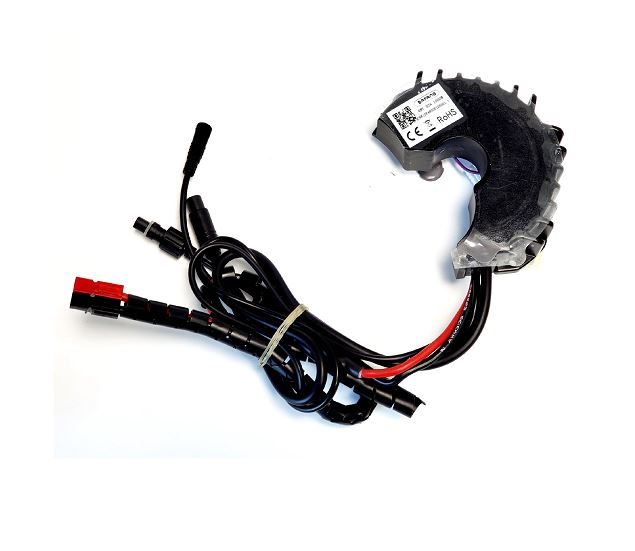
Bafang error codes are two-digit numbers your display shows when the controller detects a fault. On a BBSHD or BBS02, the three you'll see most are error 21 (speed sensor), error 30 (communication between the display and controller) and error 07 (over-voltage, usually a 52V battery on 48V firmware). Below is the full list of Bafang error codes, what each one means, and the fixes in the order we'd try them, cheapest and easiest first.
One rule before anything else: when a code pops up, turn the system off and back on. Bafang's official troubleshooting sheet for error 21 starts with a restart, and sometimes that's all it takes.
Bafang error code list (BBSHD, BBS02 and UART displays)
These meanings come from Bafang's UART display manuals (DP C18 and C961), Bafang's official error code sheets and our own support notes. Some codes only apply to systems with that hardware fitted (a smart battery, lights wired to the motor, or a torque sensor), so on a typical BBS02 or BBSHD build you'll only ever see a handful of them. Codes 03, 23 and 24 come from our support notes and aren't in the UART display manuals we checked, so you may never see them on a BBS kit.
| Code | Meaning | First thing to check |
|---|---|---|
| 03 | Brake on | Brake lever sensors, magnet position |
| 04 | Throttle has not returned to zero | Sticky or held throttle |
| 05 | Throttle fault | Throttle plug and cable |
| 06 | Low voltage protection | Battery charge |
| 07 | Over-voltage protection | Battery voltage vs. controller firmware |
| 08 | Motor hall signal fault | Motor/controller connection, then flash |
| 09 | Motor phase wire fault | Motor/controller connection |
| 10 | Over-temperature protection (motor or controller, depending on the display) | Let it cool down |
| 11 | Controller temperature sensor fault | Controller |
| 12 | Current sensor fault | Controller (moisture, flash) |
| 13 | Battery temperature sensor fault | Battery |
| 14 | Motor temperature sensor fault | Motor |
| 21 | Speed sensor fault | Magnet alignment, sensor cable |
| 22 | BMS communication fault | Battery (communicating batteries only) |
| 23 | Light fault | Light wiring |
| 24 | Light sensor fault | Light sensor |
| 25 | Torque sensor torque signal fault | Torque sensor (torque-sensing systems) |
| 26 | Torque sensor speed signal fault | Torque sensor (torque-sensing systems) |
| 30 | Communication fault (display to controller) | Display plug, harness, firmware |
Newer Bafang CAN bus systems use a longer list of codes, and a few numbers don't mean exactly the same thing on every display. If your code isn't in this table, or you're on a CAN display, check the manual for your specific display.
Bafang error 21: speed sensor fault
Error 21 means the controller isn't getting a signal from the speed sensor. That's the little sensor on the chainstay that reads a magnet bolted to a rear wheel spoke. Assist usually stops while it's showing, so it can feel like the whole system died.
Start with the mechanical checks, since they cost nothing. Work through it in this order:
- Spin the wheel and watch the magnet. It has to pass close to the sensor and line up with it. Magnets slide along spokes, and sensors get knocked when the bike is laid down or loaded on a rack. Set the gap to whatever your sensor's instructions call for. It varies by sensor model, so don't copy a number from a different sensor.
- Check that the magnet is still there. It sounds obvious, but magnets do go missing, especially after a wheel change.
- Check the sensor plug and cable. Follow the cable from the sensor to where it plugs into the main harness near the motor. Look for a loose plug, bent pins, dirt or corrosion, or a cable pinched by the chain or rubbed through by the tire.
- If you run an EggRider, check the speed sensor setting in its Bafang settings. A wrong value there can throw error 21 on hardware that's fine.
- Replace the sensor. If everything above checks out, the sensor itself has likely failed. The Bafang speed sensor with magnet is the UART replacement for the BBS01, BBS02 and BBSHD (CAN systems need the CAN version). If the original cable is too short after moving the sensor, there's also a speed sensor extension cable in UART and CAN versions.
Bafang's official procedure for error 21 follows the same path: restart, check the magnet and sensor position, inspect the connector, then check the sensor signal and update the controller with Bafang's BESST tool, and replace the sensor if needed (Bafang error 21 troubleshooting PDF).
Bafang error 30: communication fault
Error 30 means the display and the controller aren't talking. The display powers on (it's getting battery voltage), but it can't get valid data back from the motor's controller.
Start with the cheap stuff before you assume anything is broken:
- Unplug and reseat the display plug. It's the 5-pin connector on UART systems. Check for bent or pushed-back pins, water or corrosion. Then do the same with the main harness plug at the motor.
- Inspect the harness. Look for cable that's been crushed in a fold, pinched by the stem, or cut by a sharp edge. If you added a 5-pin display extension cable on a trike or recumbent, try the system without it.
- Make sure the display matches the motor. UART and CAN bus parts are not interchangeable. A CAN display on a UART BBSHD (or the other way around) won't communicate. Our BBS02B and BBSHD UART kits work with UART displays like the DPC-18, C961, C965, 600C and 860C.
- Flash the controller. This fixes a lot of error 30 cases. If the first flash doesn't clear it, try flashing a second time before giving up on it. We walk through the full procedure, software and firmware files in our guide to flashing the Bafang controller for error 07 and 30. You'll need a Bafang USB programming cable and a Windows computer (the flashing software doesn't run on a Mac).
- Test with a different display. If you have access to another display of the same protocol, swap it in. If the error clears, the display was the problem.
- Controller or harness. If flashing doesn't help and a known-good display still shows error 30, the main wiring harness or the controller is the likely culprit.
Bafang's own error 30 procedure is the same idea: connectors first, then BESST diagnostics, then replace the display, then the harness (Bafang error 30 troubleshooting PDF).
Bafang error 07: over-voltage
Error 07 means the controller sees more voltage than its firmware allows. On a BBSHD or BBS02 the classic cause is a 52V battery on a controller running 48V firmware. A fully charged 52V pack is above the 48V firmware's cutoff, so the controller shuts down to protect itself. You'll often notice it right after a full charge, and it may go away once the battery drains a bit.
The fix:
- Confirm your battery voltage. Check the label on the pack. If it's a 48V battery and you still get error 07, measure the charged voltage with a multimeter, since a faulty charger or battery could be the problem.
- If it's a 52V battery, flash the 52V firmware. The same flashing guide walks through the process. Firmware files differ by motor, so contact our support team with your motor model, volts and watts and we'll send the right file.
Don't try to work around error 07 by draining the battery before every ride. Flashing the correct firmware is the real fix. If you're not sure whether your pack is 48V or 52V, our e-bike battery guide explains how to tell from the full-charge voltage.
Throttle and brake codes: error 03, 04 and 05
Error 03 (brake on) shows when a brake sensor is telling the controller the brakes are applied. With magnetic sensors on hydraulic brakes, the magnet may have shifted or be too far from the sensor. Unplug both brake sensors and power back on. If the code clears, plug them in one at a time to find the bad one. Replacement Bafang magnetic brake sensors fit the BBS series.
Error 04 (throttle not returned to zero) means the controller sees throttle at power-on. Make sure you aren't touching the throttle when you switch on, and check that the throttle snaps back by itself. Bafang's procedure is simple: if the throttle is sticking, replace it. If it isn't, the controller is next in line.
Error 05 (throttle fault) points at the throttle or its wiring. Check the throttle plug and cable for damage, and try a known-good throttle if you have one.
The same unplug-and-test approach works if the display is on with no error but the motor won't run. Our Bafang troubleshooting page covers the brake and shift sensor check in more detail. Also confirm the assist level isn't set to 0.
Battery codes: error 06, 13 and 22
Error 06 (low voltage) means the battery is below the controller's low-voltage cutoff. Charge it. If it shows up under hard acceleration or on hills with a battery that reads mostly full, the battery may be sagging because it can't deliver enough current. A BBSHD needs a 48V or 52V battery able to supply 30A.
Error 13 (battery temperature sensor) and error 22 (BMS communication) only apply to batteries that report back to the controller. If you see either one, the problem is in the battery or its connection to the motor.
Motor and controller codes: error 08, 09, 10, 11, 12 and 14
These point at the motor, the controller, or the connection between them. On a BBS02 or BBSHD, the controller bolts to the back of the motor, and the hall and phase wires connect there.
- Error 08 (hall sensor fault): Try flashing the controller first. If that doesn't clear it, remove the controller and check the hall sensor plug where it meets the motor for loose or damaged pins.
- Error 09 (phase wire fault): Check the phase wire connections between the motor and controller for a loose, burnt or damaged connection.
- Error 10 (over-temperature): Bafang's manuals don't agree on which part this refers to. The DP C18 manual says the motor has hit its temperature limit, and the C961 manual says the controller is overheating. Either way, stop and let the motor cool, then restart. If it keeps coming back on a cold motor, flash the controller. The motor temperature sensor is one of the six wires on the hall plug (alongside power, ground and the three hall signals), so a damaged hall plug can also cause it.
- Error 11 (controller temperature sensor) and 14 (motor temperature sensor): Sensor faults. Restart and flash first. If they persist, the controller or motor needs attention.
- Error 12 (current sensor fault): Unplug the brake sensors and test, check for water inside the plugs, and flash the controller. If it persists, it's usually an electronic fault in the controller.
If you've confirmed a controller failure, the BBSHD 1000W replacement controller is a user-replaceable part held on by a few bolts, and we also stock BBS02 controllers.
Before you buy a new controller, flash it. Flashing clears a lot of codes that look like hardware failures, and it costs nothing if you already have the cable.
Light and torque sensor codes: 23, 24, 25 and 26
Our support notes list error 23 and 24 as light faults, for lights powered by the motor. If you see one, check the light wiring, or unplug the light and see if the code clears.
Errors 25 and 26 are torque sensor faults (torque signal and speed signal), per Bafang's official error sheets. A stock BBS02 or BBSHD uses cadence-based pedal assist, not a torque sensor, so you shouldn't see these on a standard BBS kit. If you do, confirm which display and firmware you're running.
When to flash vs. when to replace parts
A rough guide we use:
| Situation | Try first |
|---|---|
| Error 21 | Magnet and sensor alignment, then the sensor |
| Error 30 | Plugs and harness, then flash (twice if needed) |
| Error 07 with a 52V battery | Flash 52V firmware |
| Error 03, 04, 05 | Unplug and swap sensors/throttle |
| Error 08, 10, 11, 12, 14 | Flash, then inspect the motor/controller connection |
| Display flickers or shuts off at random | Battery connection first, then flash, then display |
Once your controller is flashed with unlocked firmware, you can also tune it. See programming your Bafang controller for the config tool and EggRider options.
Frequently asked questions
What does error 21 mean on a Bafang display?
Error 21 is a speed sensor fault. The controller isn't reading the spoke magnet, usually because the magnet has moved, the sensor got knocked out of position, or the sensor cable is damaged or unplugged.
How do I fix Bafang error 30?
Reseat and inspect the display plug and main harness, make sure your display matches your motor's protocol (UART or CAN), then flash the controller. If a different display still shows error 30 after flashing, the harness or controller is likely the cause.
Why does my BBSHD show error 07 after charging?
A fully charged 52V battery is above the limit set by 48V firmware, so the controller triggers over-voltage protection. Flashing the controller with 52V firmware fixes it.
Can I ride with a Bafang error code?
Usually not under power. Bafang's own error sheets say the motor won't run with codes like 30, and most other codes cut assist until the fault clears. You can still pedal the bike home without assist.
Do UART and CAN Bafang displays use the same error codes?
The core codes (21 for the speed sensor, 30 for communication) are the same idea, but CAN systems use a longer list and some numbers vary by display. Check the manual for your exact display model.
Do I need to replace my controller for error 08 or error 30?
Not usually at first. Flashing the controller clears many of these errors, so try that before replacing hardware.
If you've worked through the steps and the code won't clear, send us the error code, a photo of your display and your motor model, and we'll help you sort out what to do next.
Share:
How to Program Bafang Can Bus easily
Lekkie Pacemaker Throttle Guide: Which Version Fits Your Bike, How to Install It and How to Fix Error 04